 ShareBeam
 Tidr · free Windows app
Clear the cache of every Chrome profile at once
Chrome only cleans one profile at a time. Tidr finds all of them — with their real names and photos — and frees the space in one click. Passwords, logins and bookmarks stay safe.
Tidr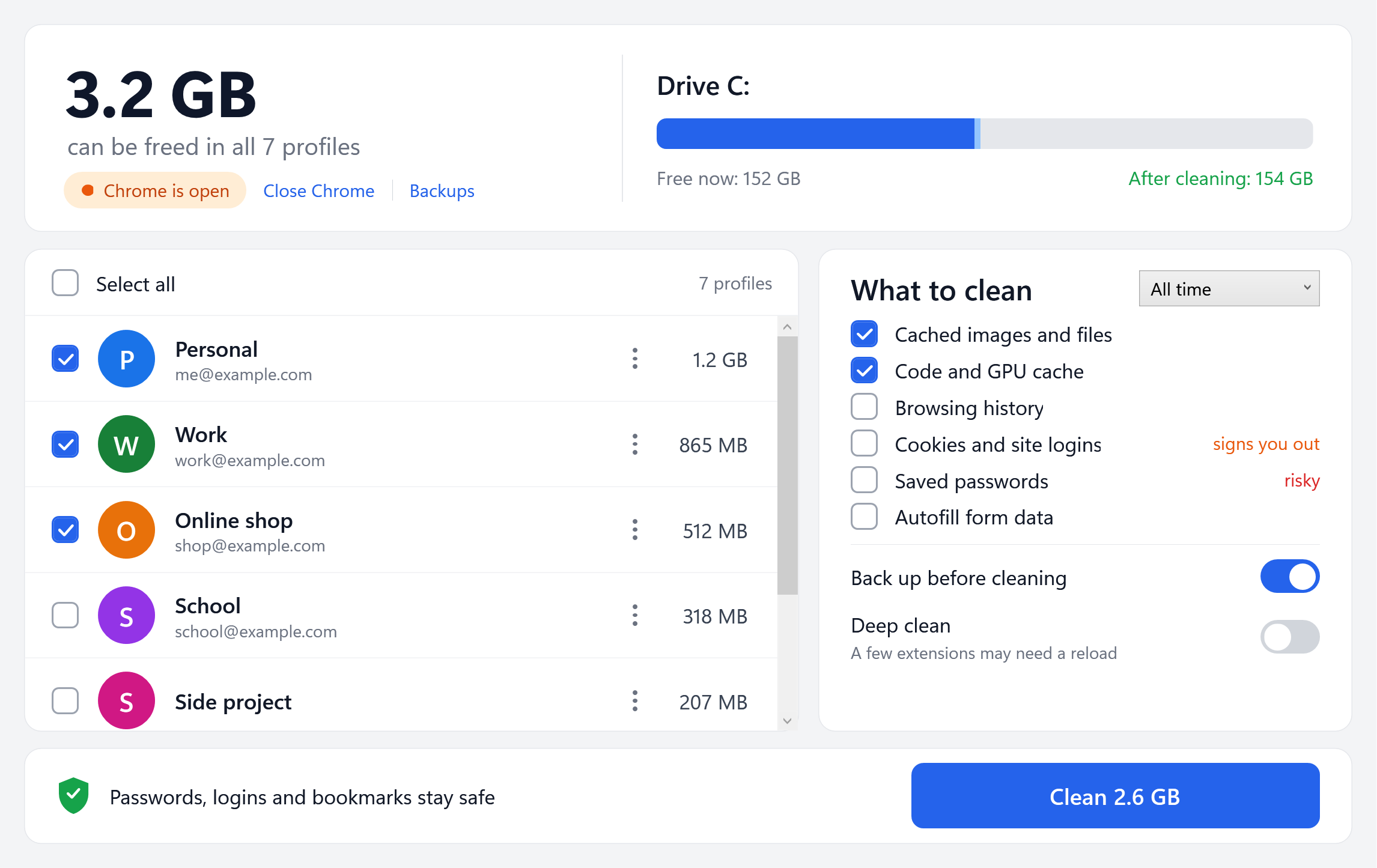
Everything Chrome's "Delete browsing data" does, for all profiles
Pick the profiles, pick what to remove, and Tidr does the rest — the same choices as Chrome's own dialog.
All profiles in one click
No more opening each profile and clearing it by hand. Select all, or only the ones you want.
Real names and photos
Profiles appear just like in Chrome's profile picker, with the size of the cache in each one.
You choose what goes
Cache only by default. History, cookies, passwords and autofill only if you tick them.
Time range
Last hour, 24 hours, 7 days, 4 weeks or all time — only what was saved in that time is cleaned.
Backup and undo
Personal data is backed up before it is cleaned, so one click on Undo puts it back.
Remove old profiles
Delete profiles you no longer use. They go to the Recycle Bin, so you can still get them back.
Three steps, about a minute
Download and open
One small file. No installer, no account, no sign-up.
Pick profiles
See how much space every profile can free, then tick the ones to clean.
Click Clean
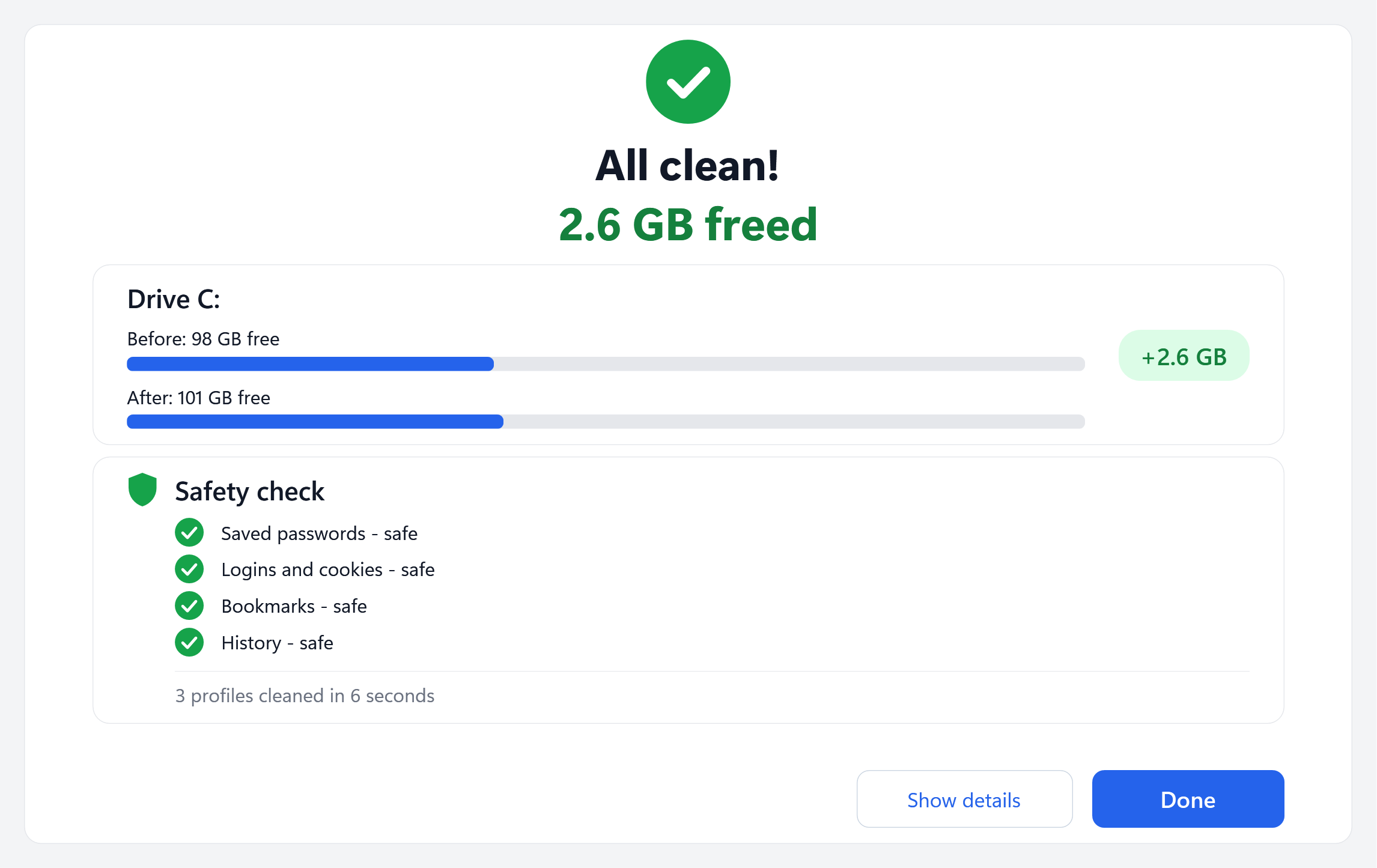
Tidr closes Chrome, cleans, and shows how much space your drive got back.
Your logins stay where they are
Tidr only touches what you choose, and it checks afterwards that everything else is unchanged.
- ✓Passwords, cookies and bookmarks are keptunless you tick them yourself.
- ✓Clear warnings before anything riskysigning out, deleting passwords or a whole profile.
- ✓Nothing leaves your PCTidr never connects to the internet.
- ✓Your tabs come backChrome offers to restore them when you open it again.
How to clear the cache in Chrome
The built-in way works well for one profile:
- Open Chrome and press Ctrl + Shift + Delete.
- Choose a Time range (for a full clean, All time).
- Tick Cached images and files and untick what you want to keep.
- Click Delete data.
With several profiles you have to repeat this inside every one of them. That is the part Tidr does for you.
| Chrome | Tidr | |
|---|---|---|
| Clean one profile | Yes | Yes |
| Clean all profiles at once | No | Yes |
| See the cache size of each profile | No | Yes |
| Drive space before and after | No | Yes |
| Backup and undo | No | Yes |
| Time range | Yes | Yes |
Questions
Chrome says "Suspicious download blocked". What do I do?
Chrome shows this for new files that few people have downloaded yet, not because it found anything harmful. Open Chrome's downloads (the arrow icon at the top right), click the › next to Tidr and choose Download suspicious file. The warning goes away as more people use Tidr.
Windows says "Windows protected your PC". Is Tidr safe?
Windows shows this for new apps that are not yet widely downloaded. Click More info and then Run anyway. You can also check that the file's SHA-256 checksum matches the one shown below.
Will I be signed out of websites?
No. By default Tidr removes only cache. Cookies (which keep you signed in) are removed only if you tick them, and Tidr warns you first.
Does it work on Mac or Android?
Not yet. Tidr is for Windows 10 and 11.
Does it work with Edge or Brave?
Tidr is made for Google Chrome right now.
Is it really free?
Yes. No ads in the app, no account and no limits.
Tidr is not affiliated with Google. Chrome is a trademark of Google LLC.